![Blue icon white X (1).png]](https://support.vxt.co.nz/hs-fs/hubfs/Blue%20icon%20white%20X%20(1).png?width=35&height=35&name=Blue%20icon%20white%20X%20(1).png)
Want to change which number shows up when you call? No problem.
In this article, caller ID refers to the phone number you select in VXT to make the outbound calls. It does not refer to the name or number that the person you're calling see on their phone. If you're trying to change the name or number that your call recipients see, check out this related article instead.
This guide shows you how to change the phone number you call from in VXT on desktop and mobile, and what to do if you can’t see the option.
In this article, we’ll cover the steps to:
- Changing your Caller ID:
Changing your Caller ID in the desktop application
-
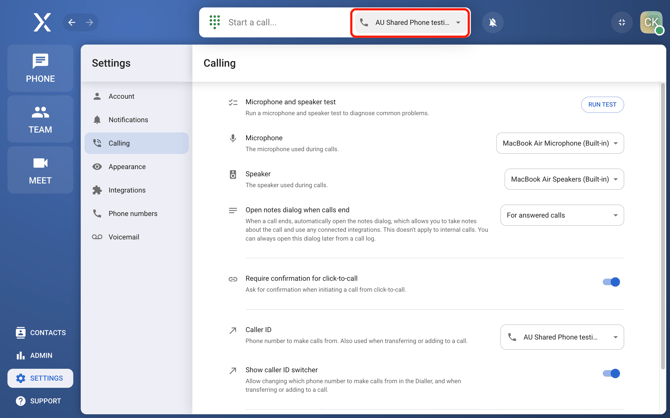
Go to Settings.
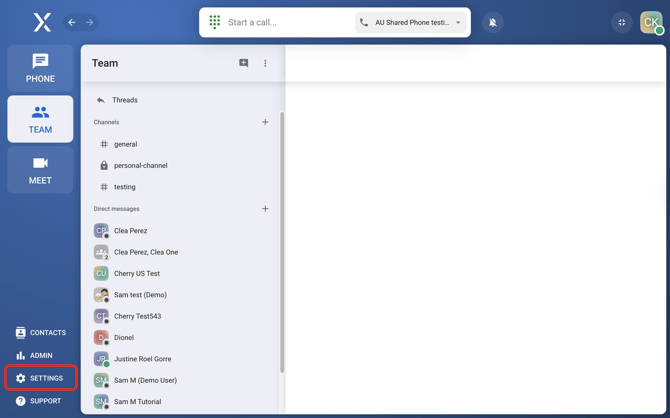
-
Select Calling.
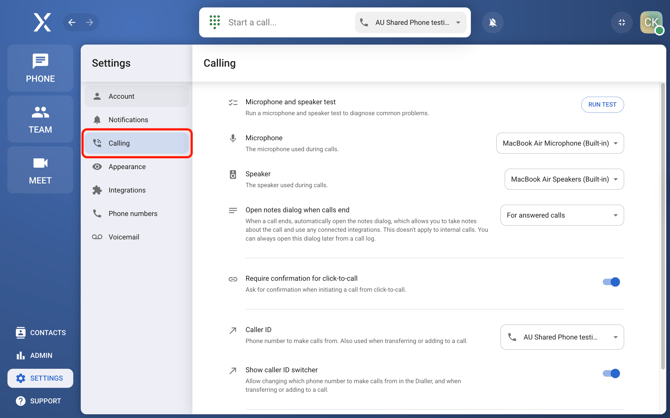
-
Choose the Caller ID you want to use through the Caller ID dropdown.
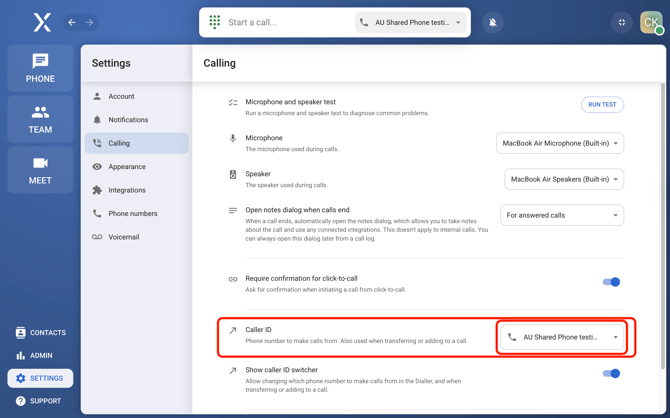
-
Enable Caller ID Switcher to make it more accessible.
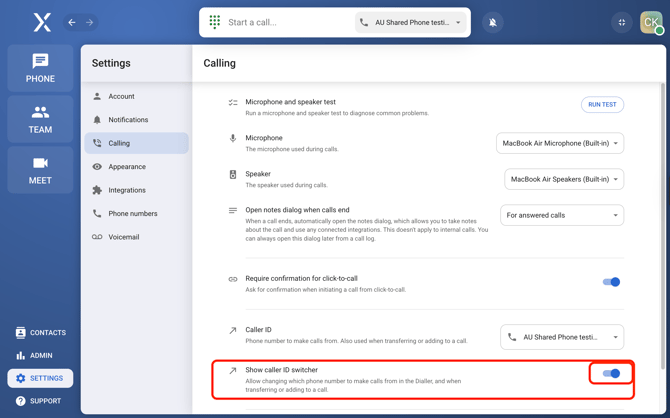
-
Once enabled, you can change between caller IDs using the caller ID switcher by the dialer at the top.
-
Changing Your Caller ID on Mobile
-
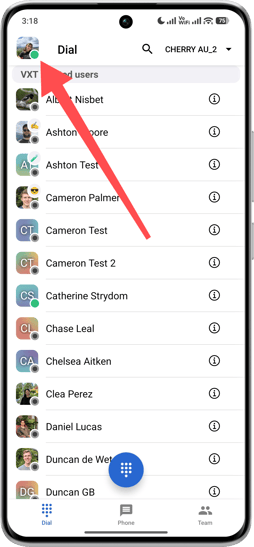
Tap on your profile at the top left of the screen to open the sidebar menu.
-
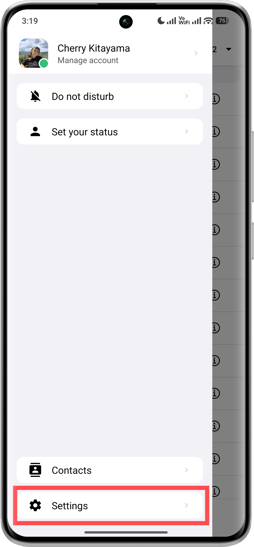
Navigate to Settings.
-
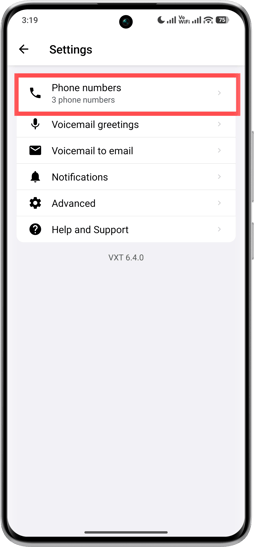
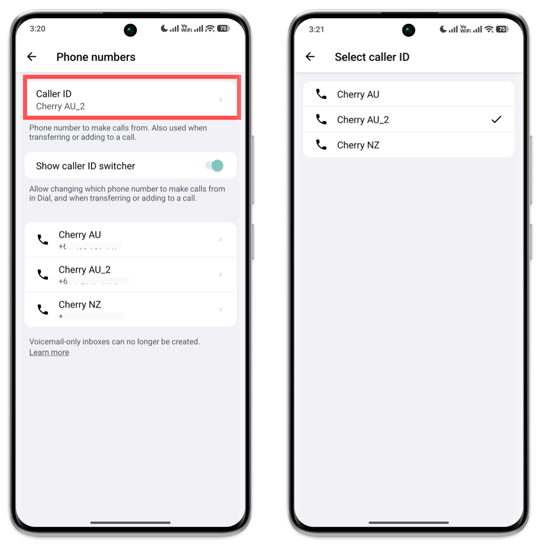
Select Phone Numbers from the settings menu.
-
Tap on Caller ID to view the list of available caller IDs and select the one you'd like to use. This will only be available if you have multiple phone numbers set up in your account.
-
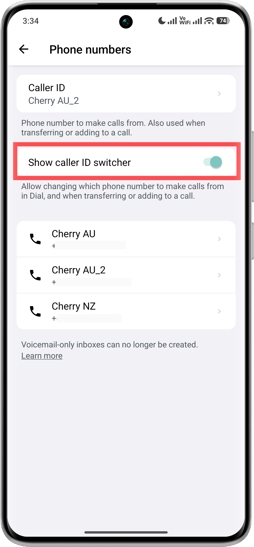
Enable the Show caller ID switcher option.
-
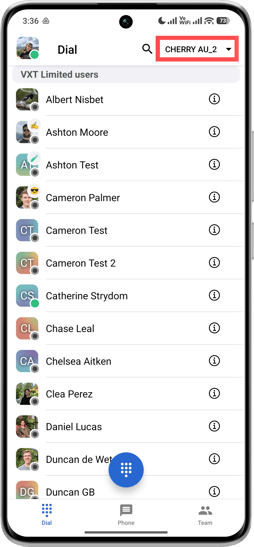
This will activate a drop-down button in the Dial Screen, allowing you to easily switch between caller IDs.
-
Frequently Asked Questions (FAQs)
-
What to do if you don’t have access to the Caller ID?
-
Access to Caller IDs needs to be granted by an admin to a user. Having a caller ID means you can call through VXT using the number shown. Here's a guide to help admins provide Caller ID access to users.
- The ability to change your caller ID is only available if you have access to more than one Caller ID. If you haven’t seen additional options and you think you should be able to, ask your admin to give you access.
-