
This article includes instructions for Admins.
Use the Divert step to send incoming calls to another phone number, such as a teammate's mobile or an external number. It's a quick way to redirect calls to the right place.
If you only want to divert calls from specific phone numbers, use a Caller ID step before the Divert step. Check this article out to learn how.
How to divert calls for your team
Follow these steps to set up call diversion for your teammates:
-
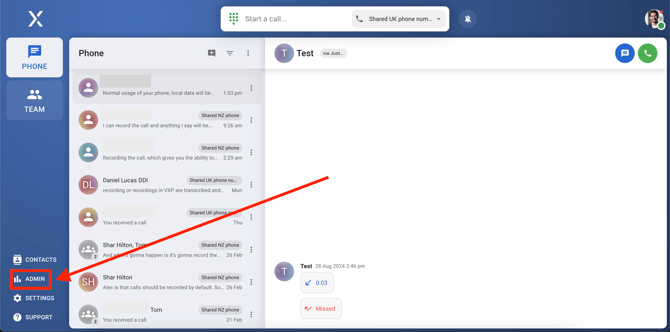
Navigate to Admin
-
Navigate to Admin in the bottom left-hand corner of your screen.
-
-
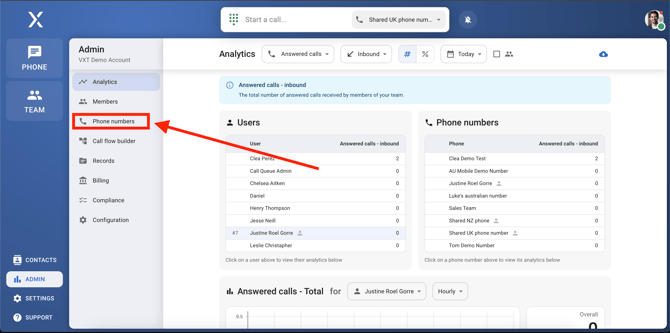
Find phone numbers
-
In the Admin menu, select Phone numbers.
-
-
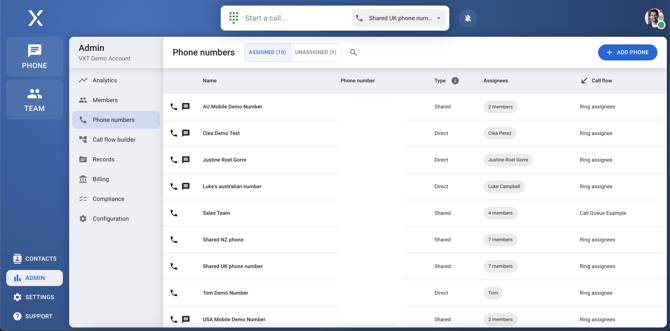
Select the phone number you want to divert from
-
Choose the specific phone number whose call flow you want to change.
-
-
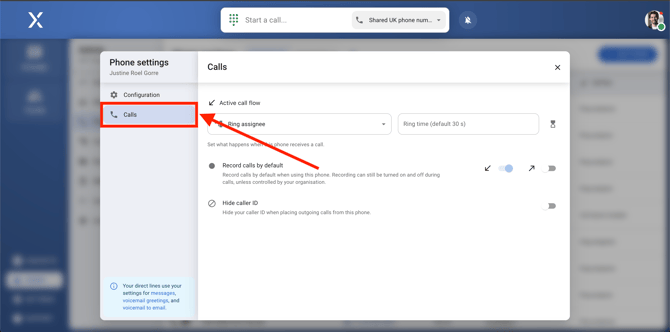
Navigate to Calls
-
Click on the calls option to access call settings.
-
-
Click on the call flow selector
-
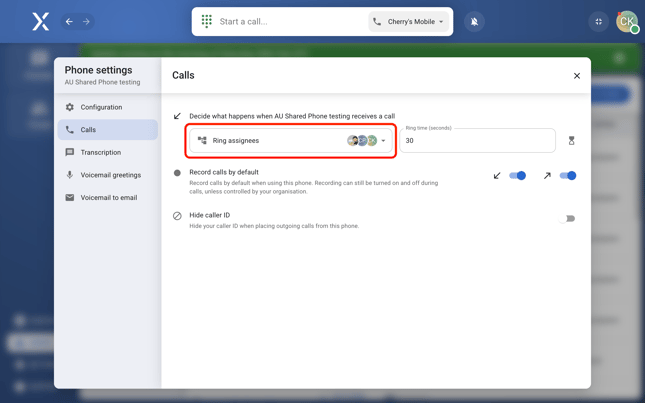
Click on the dropdown under "Decide what happens when *phone name* receives a call"
-
-
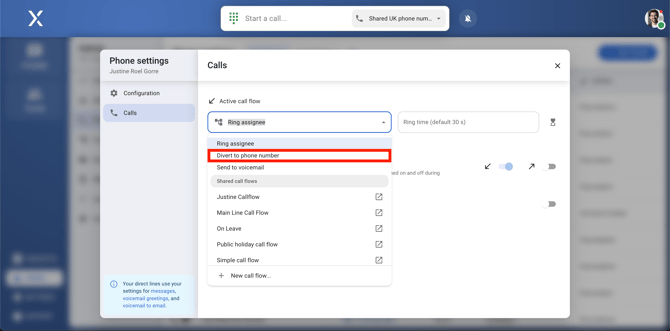
Select Divert to phone number.
-
Select Divert to phone number from the dropdown.
-
-
Enter the phone number you want to divert to
-
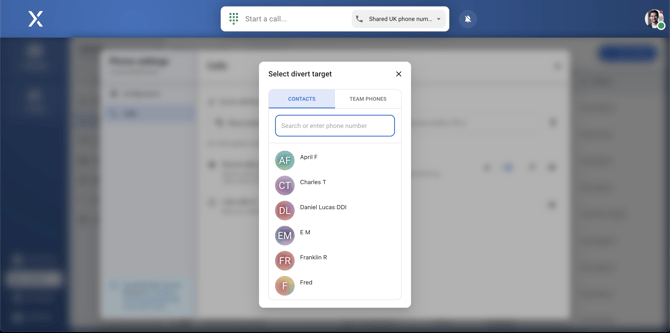
Choose a contact, type in a number, or divert calls to one of your team phones.
-
Once completed, calls will be redirected as configured, ensuring that your team stays connected and available when needed.