![Blue icon white X (1).png]](https://support.vxt.co.nz/hs-fs/hubfs/Blue%20icon%20white%20X%20(1).png?width=35&height=35&name=Blue%20icon%20white%20X%20(1).png)
This article guides VXT admins on how to manage user permissions, making sure the right people have access to the right features. It explains why permissions matter, walks you step-by-step through updating user roles, and covers granting permissions for phone numbers. Following these steps helps keep your workspace secure and organized.
Managing User permissions is an advanced feature best suited for Admins or users with the Manage users permission.
In this article, we’ll cover:
- Why changing user permissions matters
- Steps to change user permissions
- Granting Permissions to phone numbers
Why it matters
Changing a user’s permissions is important because it lets you control who can access certain features or settings in VXT.
It’s a quick way to make sure the right people have the right tools for their job.
Steps to change user permissions
- Go to Admin
Open VXT and click on Admin at the bottom left corner of your screen.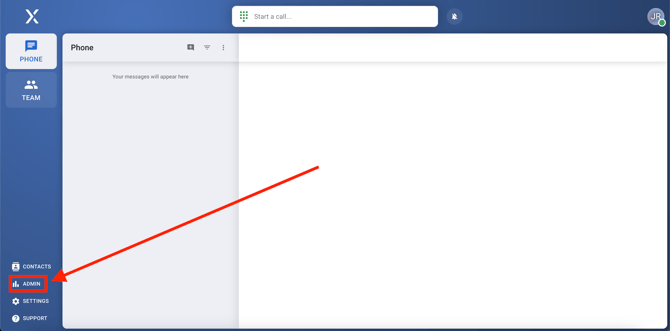
- Find the Users Section
In the Admin menu, select Users. This will bring up a list of all users in your workspace.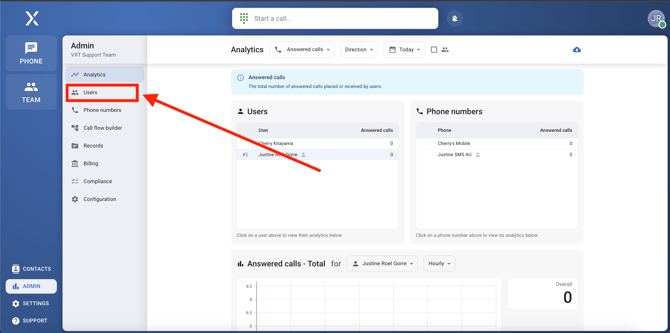
- Choose the User
Scroll through the list or use the search bar to find the user whose permissions you want to change.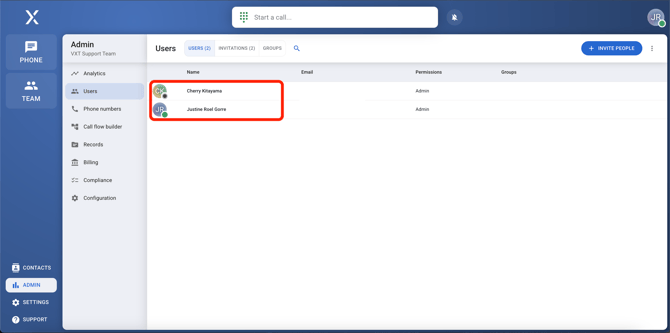
- Click Edit
Once you’ve found the user, click Edit next to their name.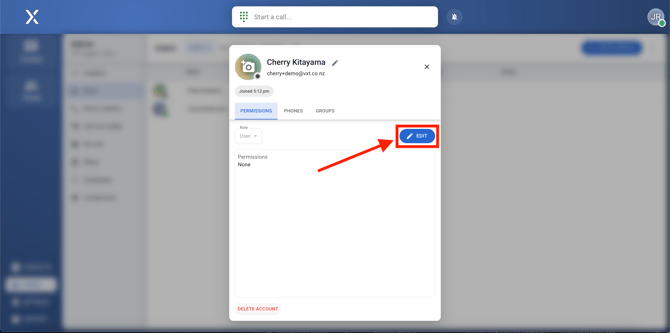
- Update Permissions
Here, you can change their role:- Make them an Admin if they need full access and control.
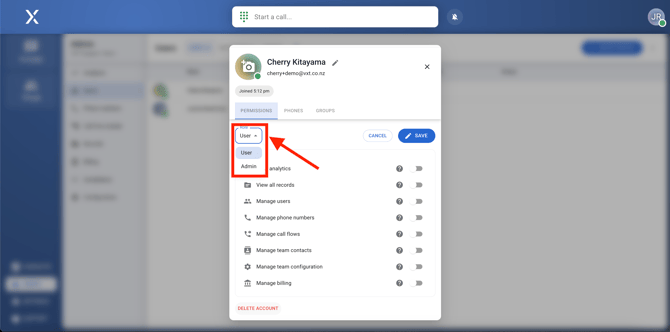
- Or, keep them as a User but enable specific permissions they need.
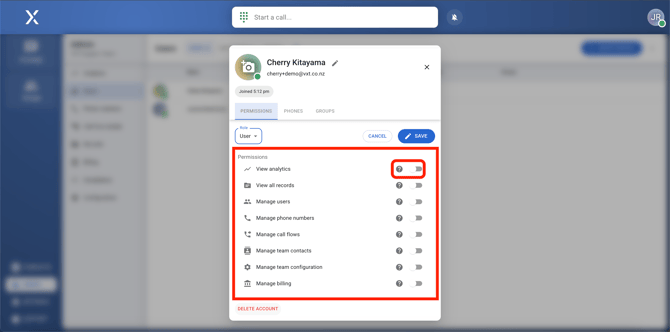
- Make them an Admin if they need full access and control.
And that’s it! You’ve successfully changed a user’s permissions.
⚠️ The VXT team cannot change user permissions for security purposes. As a precaution, please make sure to have at least 2 admins on the account in the case that the other becomes unavailable.
Granting permissions to phone numbers
This is performed within Admin > Phone Numbers.
Details on managing permissions to phone numbers can be seen in our support article for Add and Manage Phone Numbers.
For further assistance or questions, please feel free to contact us by email at support@vxt.co.nz