
A conference call lets you talk with more than two people at once, and VXT makes it easy to add participants to an ongoing call. You can include multiple teammates in a single conversation for seamless group communication.
💡 VXT supports up to 15 participants on a phone call at once.
Using Add to call to start a conference
- Start a normal phone call by calling the first participant.
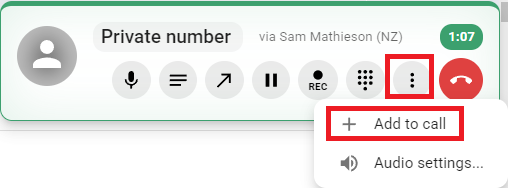
- Click the button with three vertical dots, then click Add to call:
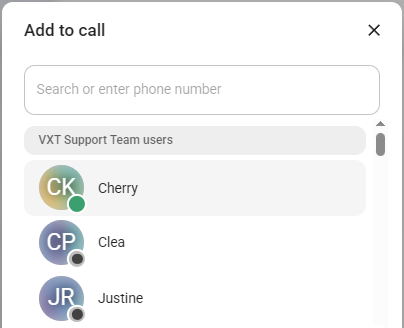
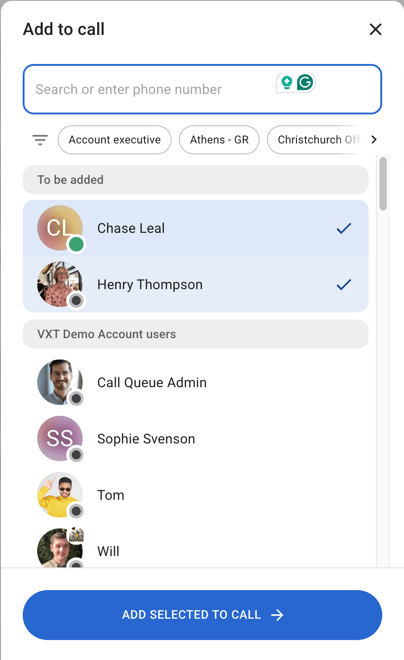
- Search for the person(s) you'd like to add by name or phone number, and select them. You can select and add multiple people to a call simultaneously.
- At the bottom of the selection window, click Add selected to call.
- Once the person you added answers the phone they will be added to the conversation.
⚠️ VXT does not support transferring a conference call.